Visualization
Visualizing the experiment topology is crucial for verifying dependencies and understanding the data flow in complex pipelines before execution.
Using the CLI
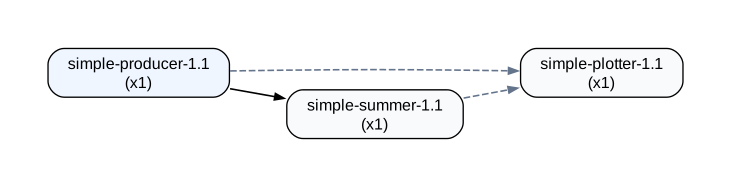
Use repx viz to generate a graph of the experiment topology.
repx viz --lab ./result
# Generates topology.png by default
Options
--output <file>/-o: Specify the output filename.--format <fmt>: Specify the format (e.g.,svg,png,pdf,dot).
repx viz --lab ./result -o my-graph.svg --format svg
Interpreting the Graph
- Nodes: Each node represents a Job (a concrete instance of a Stage).
- Edges: Arrows represent Data Dependencies (output of A -> input of B).
- Clusters: Jobs are grouped by their Run Name (e.g.,
simulation,analysis). - Shapes:
- Box: Simple Stage.
- Subgraph Cluster: Scatter-Gather groups. These render as a cluster containing:
- Trapezium: Scatter phase node.
- Box (indigo): Step nodes, connected according to the step DAG dependencies.
- Inverted Trapezium: Gather phase node.
- Internal edges show the step DAG flow: scatter → root steps → ... → sink step → gather.
Requirements
The visualization tool relies on Graphviz to render the graphs.
Nix (Recommended):
The repx flake provides a devShell that includes Graphviz.
nix develop
System Install: If running outside Nix:
- Ubuntu/Debian:
sudo apt install graphviz - macOS:
brew install graphviz