Local Execution
Local execution runs experiments on the host machine using direct process spawning or containerized environments.
Basic Usage
Execute a named run:
repx run <run_name> --lab ./result
Concurrency Control
RepX parallelizes job execution based on available CPU cores. Override the default with --jobs:
repx run simulation --lab ./result -j 4
Memory Limit Override
The local scheduler detects system RAM and uses it to limit how many jobs run concurrently based on their declared memory requirements. Use --mem to override the detected amount, for example to oversubscribe memory:
# Tell the scheduler it has 256G available (even if the machine has less)
repx run simulation --mem 256G
Execution Modes
The execution runtime is selected based on Lab configuration and target settings. RepX supports:
| Mode | Description |
|---|---|
| Native | Direct process execution on the host |
| Bwrap | Bubblewrap sandboxed execution |
| Docker | Docker container runtime |
| Podman | Podman container runtime |
The runtime is configured via the --scheduler flag or target configuration in config.toml. Labs built with containerMode = "none" only support native execution.
Failure Handling
By default, RepX stops execution when any job fails. Use --continue-on-failure to keep running independent jobs:
# Continue running unblocked jobs even when some fail
repx run simulation --continue-on-failure
All failures are collected and reported at the end. This is useful for large sweeps where you want to maximize completed jobs before debugging failures.
Output Structure
Job outputs are organized under the configured base_path:
<base_path>/
  outputs/
    <job-id>/
      out/              # User artifacts
      repx/
        stdout.log      # Standard output capture
        stderr.log      # Standard error capture
        SUCCESS|FAIL    # Completion marker
Completion Markers
| Marker | Description |
|---|---|
SUCCESS | Job completed with exit code 0 |
FAIL | Job terminated with non-zero exit code |
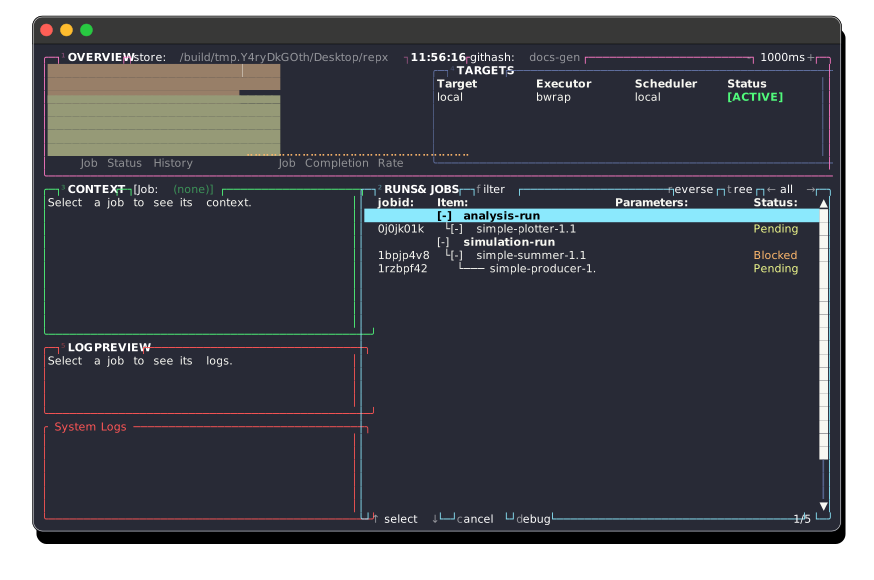
Incremental Execution
RepX tracks job completion state. Subsequent invocations skip completed jobs unless --force is specified:
# Resume interrupted execution
repx run simulation --lab ./result

# Force re-execution of all jobs
repx run simulation --lab ./result --force
Specifying Runs and Jobs
repx run accepts multiple run names or individual job IDs:
# Run everything
repx run

# Run specific runs
repx run simulation validation

# Run a specific job by ID
repx run abc123def456

# Mix runs and jobs
repx run simulation abc123def456